Virus scan
Scan your Mac for known malware
Check your apps and downloads against Apple's own malware rules, and add VirusTotal and ClamAV if you want a second and third opinion.
30-day money-back guarantee. One licence for three Macs.
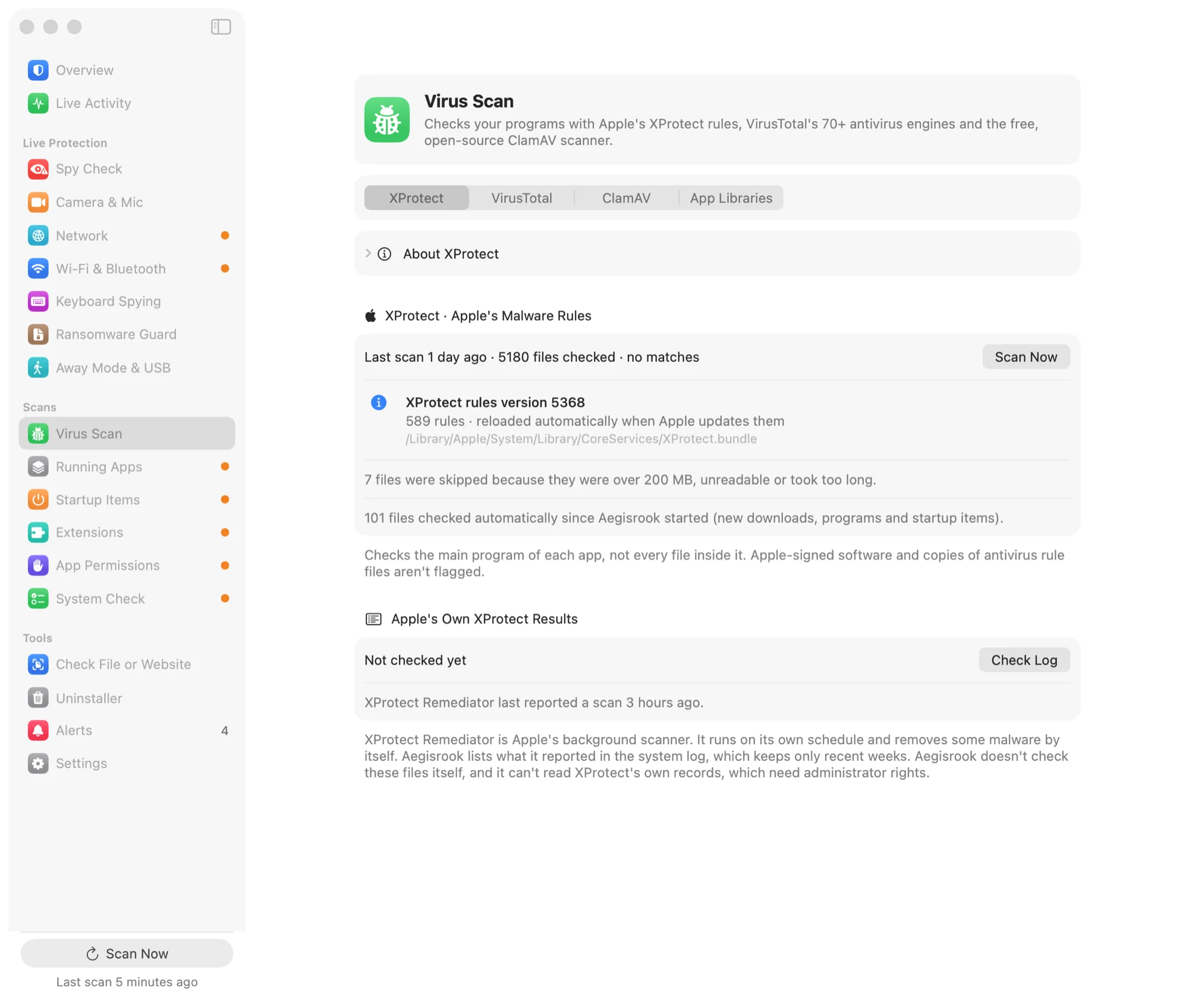
What each check does
Each check says what it is, what it looks at, and what leaves your Mac.
Apple's XProtect rules
XProtect is the malware detection built into macOS. Its rules describe known Mac malware, and Apple updates them regularly. Aegisrook runs those same rules across your apps and downloads whenever you ask, and shows what matched.
Everything happens on your Mac. Nothing is uploaded.
VirusTotal's 70+ engines
VirusTotal checks a file against more than 70 antivirus engines. Add a free VirusTotal API key and Aegisrook looks up your apps there.
Only each file's fingerprint (its SHA-256 hash) is sent, never the file itself. Files VirusTotal has never seen come back as "unknown", which isn't the same as safe.
ClamAV, the open-source engine
ClamAV is a free, open-source antivirus engine. If it's installed on your Mac, Aegisrook keeps its malware database up to date and runs it as a third check. It runs locally, like XProtect.
App Hijack Check
Some apps load code from places another program could write to. Malware can use that to run inside a trusted app. This check finds those apps, and code that was changed after the app was signed.
Limitations
Aegisrook isn't an antivirus engine, and doesn't claim to be one.
Known malware only
These checks look for malware that has already been found and described. Brand-new or targeted malware can get past all of them.
Not checked on open
Full scans run when you ask, and new downloads, programs and startup items are checked automatically. A file isn't checked at the moment it's opened.
A match needs a closer look
Antivirus engines sometimes flag harmless files. Aegisrook shows which engine flagged a file and why.
Good to know
Doesn't macOS already do this?
XProtect runs in the background on its own schedule and rarely says anything. Aegisrook lets you run it when you want and shows you the result.
Check one file first
Drop a download onto the Check tool to see who signed it and whether Apple notarized it, before you open it.
Your files stay on your Mac
XProtect and ClamAV run locally. VirusTotal receives fingerprints only. See privacy.
Virus scan questions
Do Macs need antivirus software?
Most Macs are well protected by what macOS already includes: XProtect, Gatekeeper and notarization block most known Mac malware. Extra checks help if you often install software from outside the App Store, but no tool catches brand-new or targeted malware every time.
What is XProtect?
XProtect is the malware detection built into macOS. It uses rules describing known Mac malware, which Apple updates in the background. Aegisrook runs those same rules across your apps and downloads when you ask, and shows the result.
Is Aegisrook an antivirus?
No. Its malware checks use Apple's XProtect rules, plus VirusTotal and ClamAV if you add them. Its main job is showing what your Mac is doing: startup items, connections, permissions and the camera.
Does VirusTotal get a copy of my files?
No. Aegisrook sends only each file's SHA-256 fingerprint to VirusTotal, using your own free API key. A file VirusTotal has never seen comes back as unknown, which isn't the same as safe.
What is the App Hijack Check?
It finds apps that load code from places another program could write to, which malware can use to run inside a trusted app. It also flags app code that was changed after the app was signed.
Check your Mac for known malware
Pay once and keep it for good.
Not for you? Get a full refund within 30 days.
30-day money-back guarantee. One licence for three Macs.